
Get additional Features, Install the COR app !
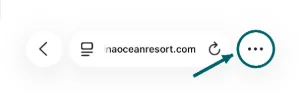 Tap ••• at the bottom right. If you see a Share button instead, tap that.
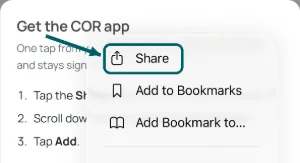 Tap Share.
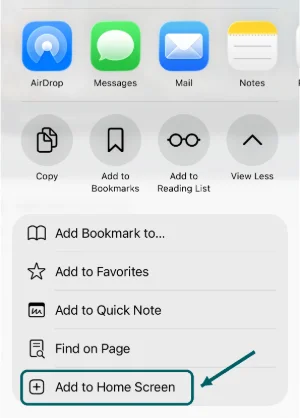 Scroll down and tap Add to Home Screen.
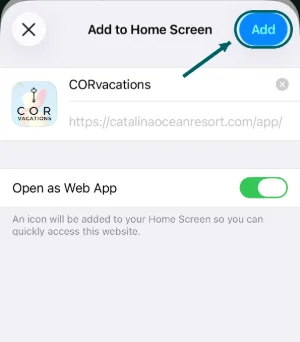 Tap Add. Leave "Open as Web App" on.
If nothing happens, open the browser menu and choose Add to Home screen.

The COR app is for your phone. Scan this with your phone's camera, or open catalinaoceanresort.com/install there.